RetroAchievements
webЯcade supports RetroAchievements, a community-driven achievement system for classic games. When enabled, webЯcade will communicate with the RetroAchievements service to unlock achievements, track progress, and display notifications while you play.
Note
A free RetroAchievements account is required to use this feature. You can create one at retroachievements.org.
Warning
Hardcore mode is not currently supported.
Overview
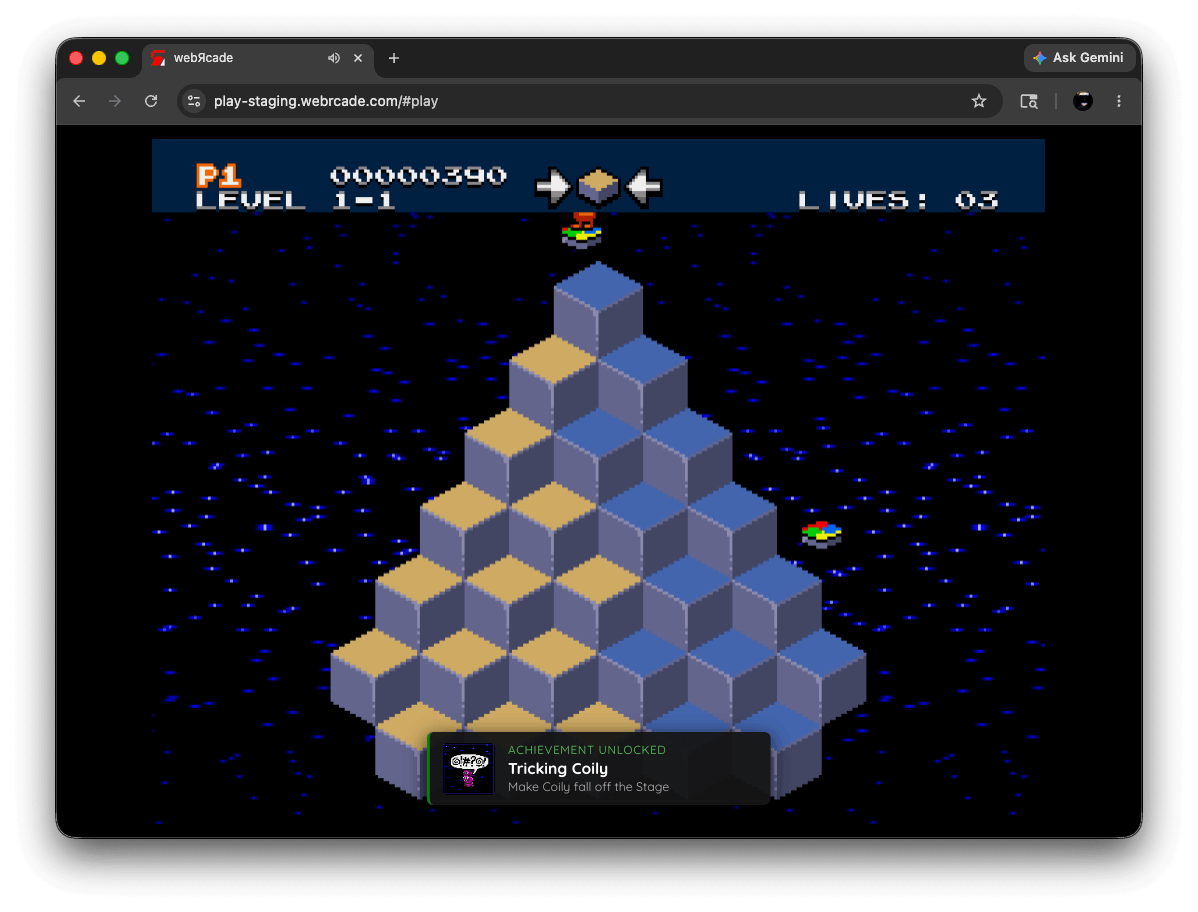
RetroAchievements support is available for a subset of webЯcade's emulator applications. Refer to the individual application pages for details on which emulators support achievements.
Enabling RetroAchievements
RetroAchievements must be enabled and configured in the webЯcade player settings before achievements will be tracked.
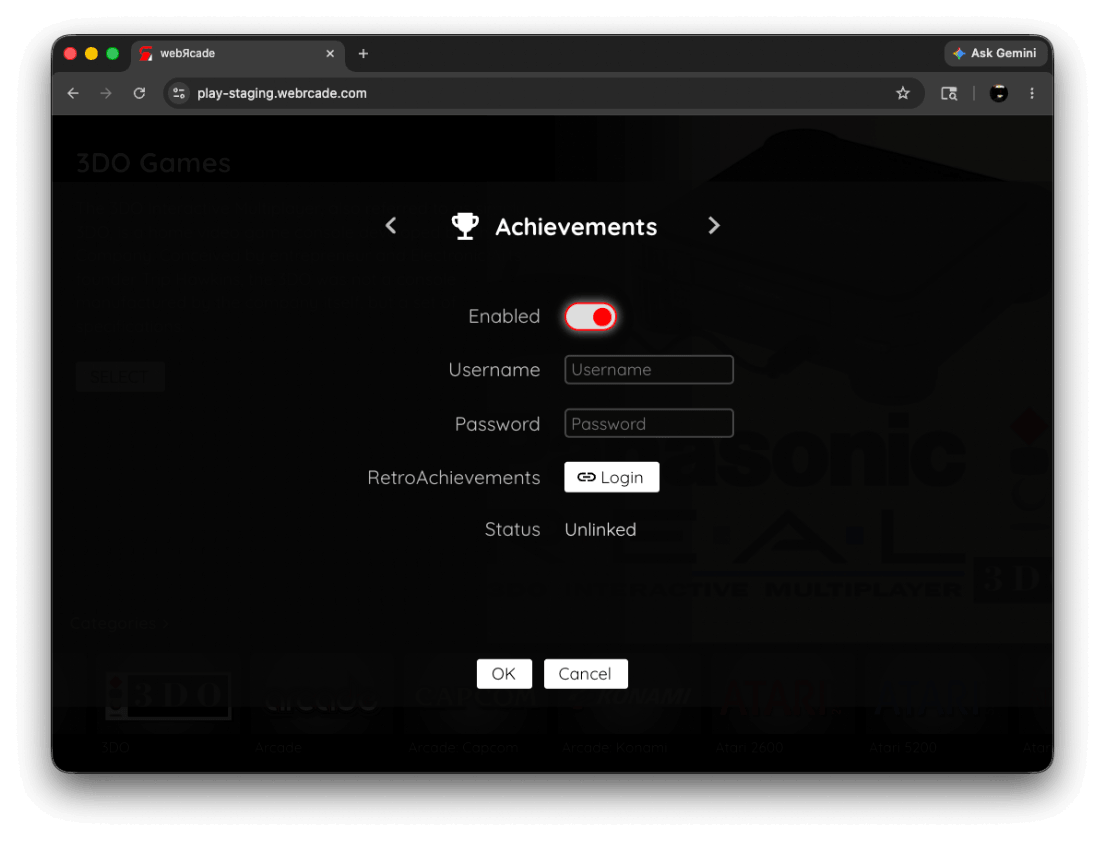
To configure RetroAchievements:
- Open the Settings Dialog from the webЯcade player (see Settings Dialog).
- Navigate to the Achievements tab.
- Toggle Enabled on.
- Enter your RetroAchievements Username and Password.
- Select the Login button next to the RetroAchievements row.
The settings in the Achievements tab are described below:
| Field | Description |
|---|---|
| Enabled | Toggles RetroAchievements support on or off. |
| Username | Your RetroAchievements account username. Only shown when Enabled is on and you are not yet logged in. |
| Password | Your RetroAchievements account password. Only shown when Enabled is on and you are not yet logged in. |
| RetroAchievements | Only shown when Enabled is on. Select Login to authenticate with RetroAchievements using the username and password entered above. Once logged in, the button changes to Logout. Select it to disconnect your account. |
| Status | Indicates whether your account is currently logged in (Linked) or not (Unlinked). Only shown when Enabled is on. |
Achievements in the Pause Screen
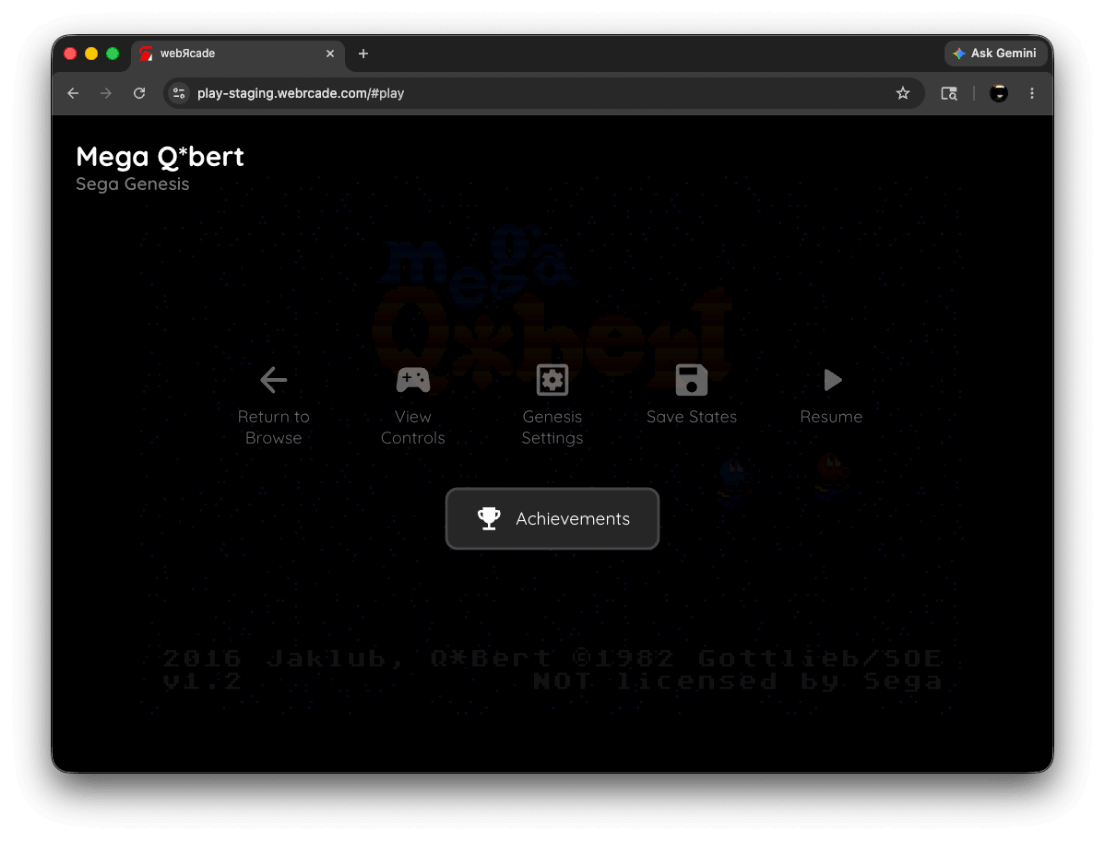
When a game with RetroAchievements support is running, an Achievements option is available in the Pause Screen.
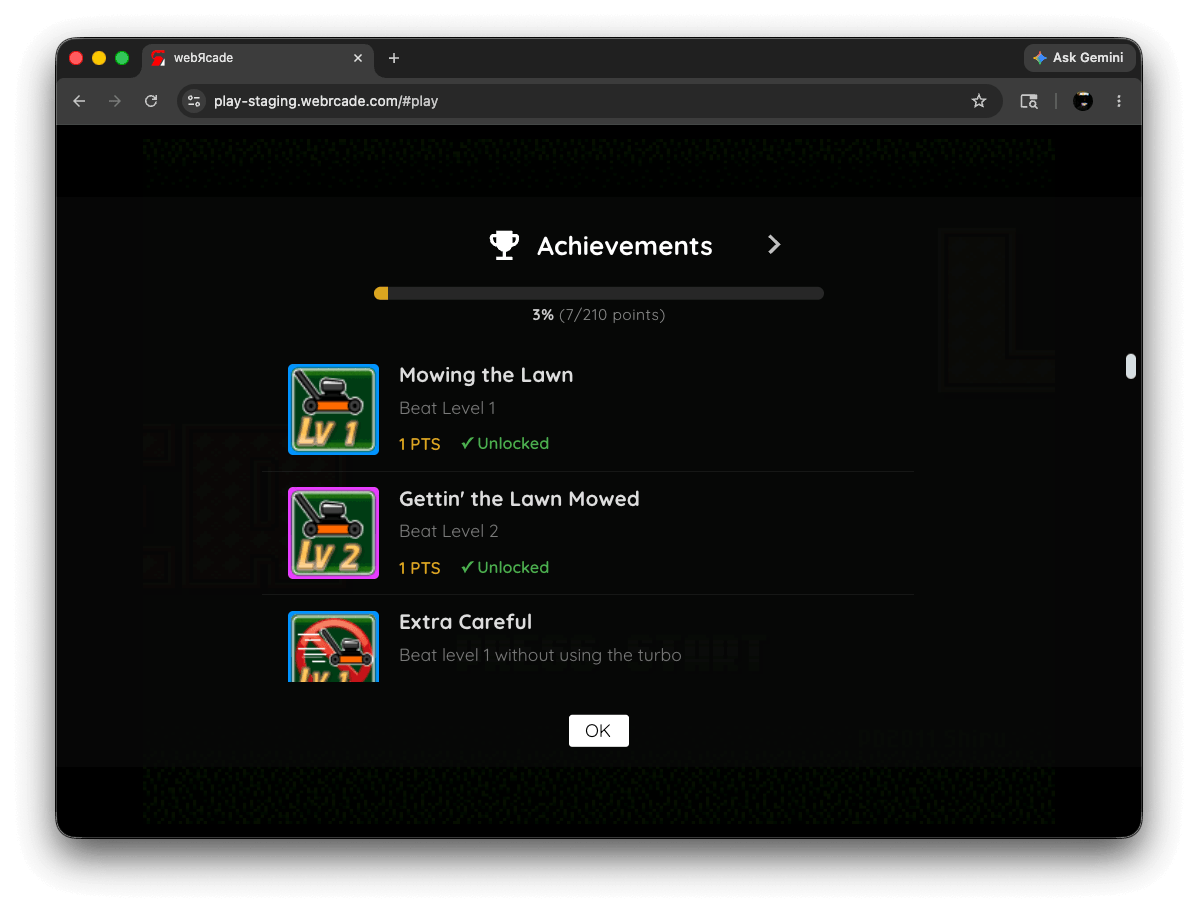
Selecting Achievements from the pause screen displays the achievement list for the current game, showing which achievements have been earned and which are still locked.
Notifications
Game Loaded
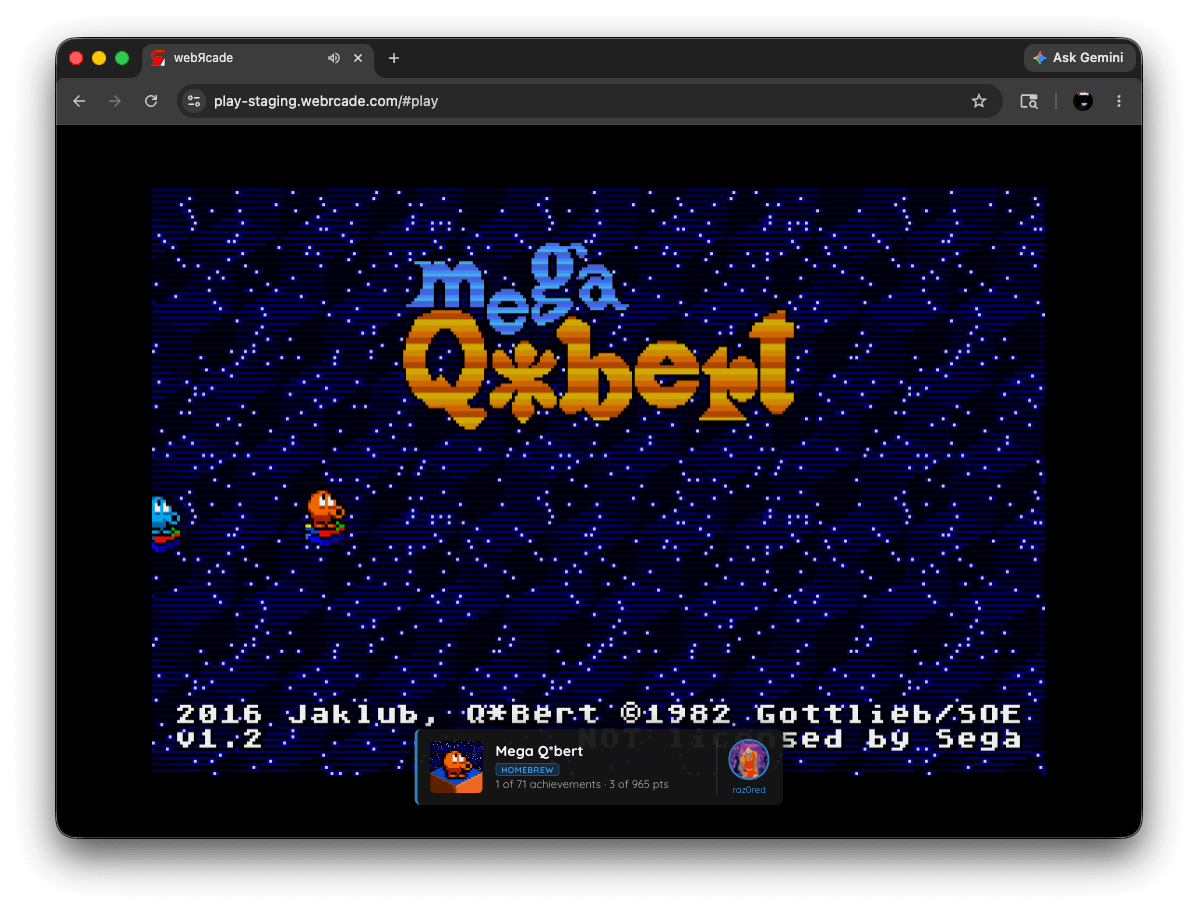
When a game with RetroAchievements support is started, a placard appears briefly showing:
- The game's badge image
- The game title and any associated tags
- Your current progress: how many achievements you have earned and the total available, along with point counts (e.g., 5 of 32 achievements · 120 of 400 pts)
- Your RetroAchievements username and avatar
If the game has no achievements, the placard will display No achievements available for this game instead.
Achievement Unlocked
Whenever you earn an achievement during play, a notification appears showing the achievement's badge, title, and description.
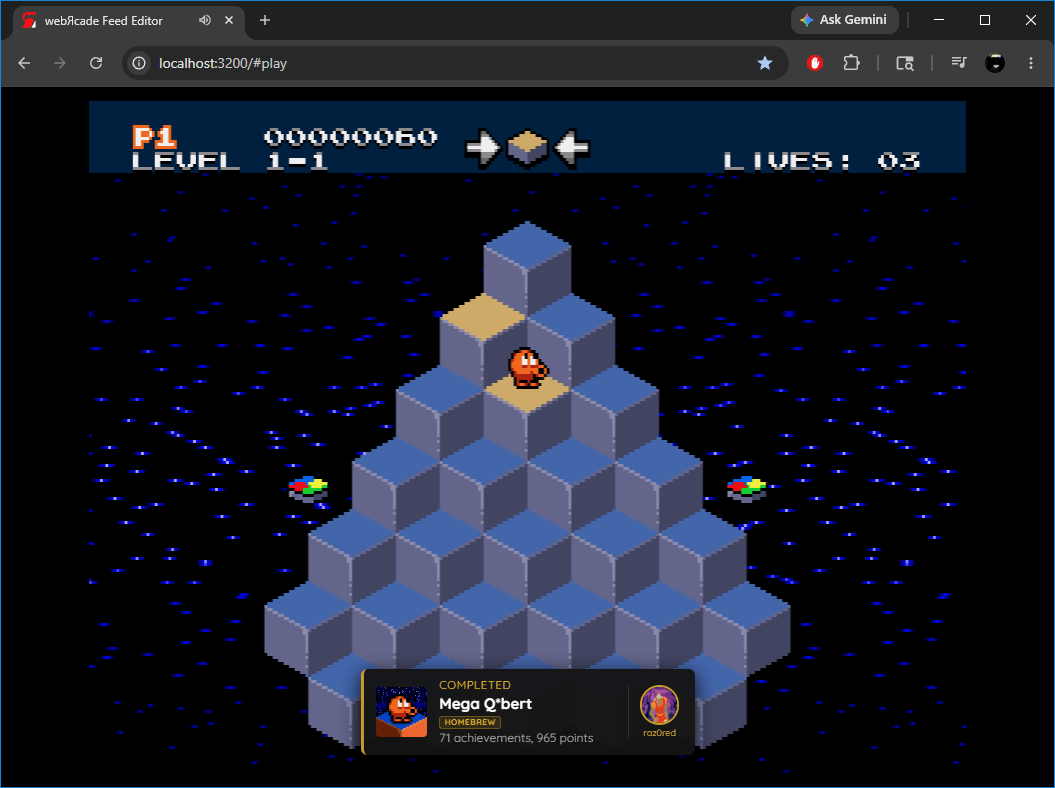
Mastery
When you earn every achievement in a game, a Completed notification is displayed showing the game badge, game title, total achievement and point counts, and your username and avatar.
Discord Rich Presence (RAD Presence)
RAD Presence is a companion project from the webЯcade developers that automatically mirrors your RetroAchievements session to your Discord Rich Presence. When you are playing a game, Discord will show your current game, cover art, achievement progress, and more in real time.
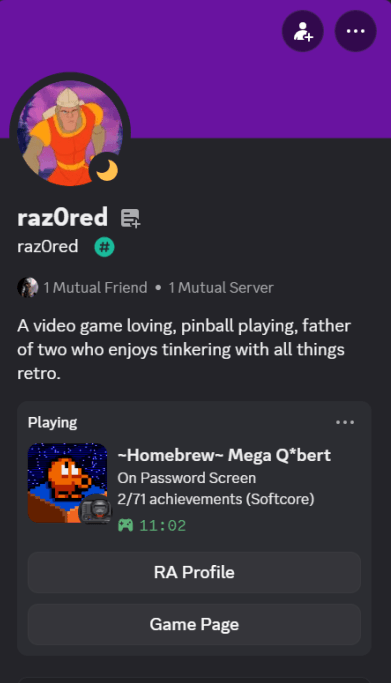
RAD Presence runs as a silent native background service (Windows, macOS, and Linux) that starts automatically on login. No runtime or installer is required. It ships as a single binary.
For installation and setup instructions, visit radpresence.com or the RAD Presence GitHub repository.
Notes
- RetroAchievements requires an active internet connection during play.
- Only certain webЯcade applications support RetroAchievements. Refer to the individual application pages for details.
- Progress is synced to the RetroAchievements service in real time as achievements are earned.