Bally Astrocade
Overview
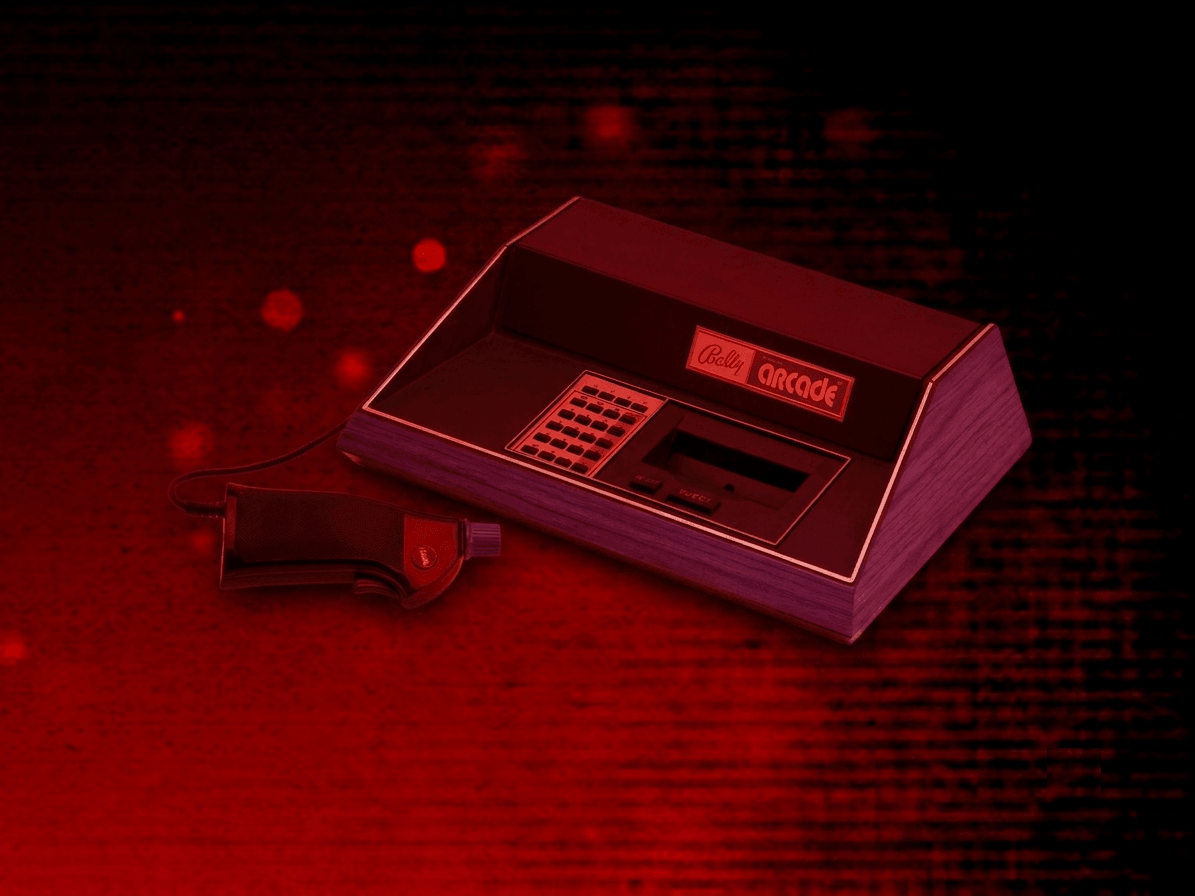
The Bally Astrocade application is an emulator for the Bally Astrocade home video game console.
BIOS File
In addition to Bally Astrocade ROM files, a Bally Astrocade BIOS file must be specified globally within the feed (See the Feed Properties Dialog and Bally Astrocade Feed Properties sections).
| File | Hash (MD5) |
|---|---|
astro.bin |
7d25a26e5c4841b364cfe6b1735eaf03 |
Controls
The emulator supports up to four controllers. The Bally Astrocade hand controller features an integrated joystick, a trigger button, a paddle (rotary knob), and a 24-key keypad. The keyboard, gamepad mappings, and keypad interaction are listed below.
Keyboard
| Name | Keys |
Comments |
|---|---|---|
| Move |     |
|
| Fire |  |
|
| Keypad 0–9 |  - -  |
Direct keypad key input. |
| Show Keypad |  |
The Right Shift Key. Displays the on-screen keypad. See Keypad section. |
| Show Keypad (Alternate) |
 |
Hold, then release, to open the on-screen Keypad screen. |
| Show Pause Screen |  |
Gamepad
| Name | Gamepad |
Comments |
|---|---|---|
| Move |  or or  |
|
| Fire |  or or  or or  or or  |
Default mapping. Can be changed via the Mappings tab in the editor. |
| Paddle |  |
Right analog stick controls the paddle/knob. Direction and invert can be configured. |
| Show Keypad |  |
Not available for Xbox and not recommended for iOS (see alternate) Press the View (Back) Button. See Keypad section. |
| Show Keypad (Alternate) |
 and and  |
Hold down the Left Trigger and click (press down) on the Right Thumbstick. |
| Show Pause Screen | and  |
Hold down the Left Trigger and click (press down) on the Left Thumbstick. |
Keypad
The Bally Astrocade hand controller includes a 24-key keypad. An on-screen keypad display allows interacting with these keys using a gamepad or mouse.
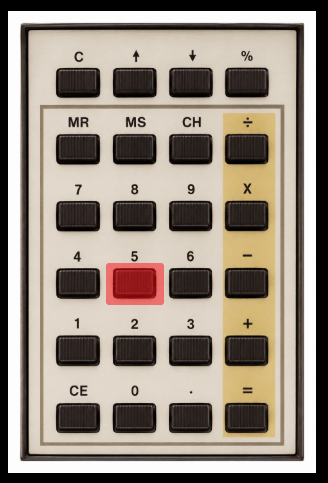
Gamepad (Virtual keypad)
| Name | Gamepad |
Comments |
|---|---|---|
| Show Keypad | |
Not available for Xbox and not recommended for iOS (see alternate) Press the View (Back) Button. |
| Show Keypad (Alternate) |
and |
Hold down the Left Trigger and click (press down) on the Right Thumbstick. |
| Close Keypad | |
|
| Choose Key | or |
|
| Press Key | |
The key will remain pressed until the button is released. |
Keyboard (Virtual keypad)
| Name | Keys |
Comments |
|---|---|---|
| Show Keypad | |
The Right Shift Key. |
| Show Keypad (Alternate) |
|
|
| Close Keypad | |
|
| Close Keypad (Alternate) |
|
|
| Choose Key | |
|
| Press Key |  or or  |
Keyboard (Direct mappings)
| Name | Keys |
Comments |
|---|---|---|
| Keypad 0–9 | - |
|
| Keypad . |  |
|
| Keypad - |  |
|
| Keypad / |  |
|
| Keypad = |  |
|
| Keypad + | + |
|
| Keypad × | +  |
|
| Keypad % | +  |
|
| Clear Entry (CE) |  |
On-screen Controls
The Bally Astrocade application includes a set of on-screen controls which are detailed below.
| Button | Description | |
|---|---|---|
| Keypad |  |
Opens the on-screen Keypad screen. |
| Pause (Show Pause Screen) |  |
Displays the webЯcade pause screen. |
Whether these buttons are always displayed, or only displayed once touch, mouse, or keyboard input is detected, can be configured via the "On-screen controls" field on the Display Settings tab.
Pause Screen
The Bally Astrocade application's pause screen provides access to application settings.
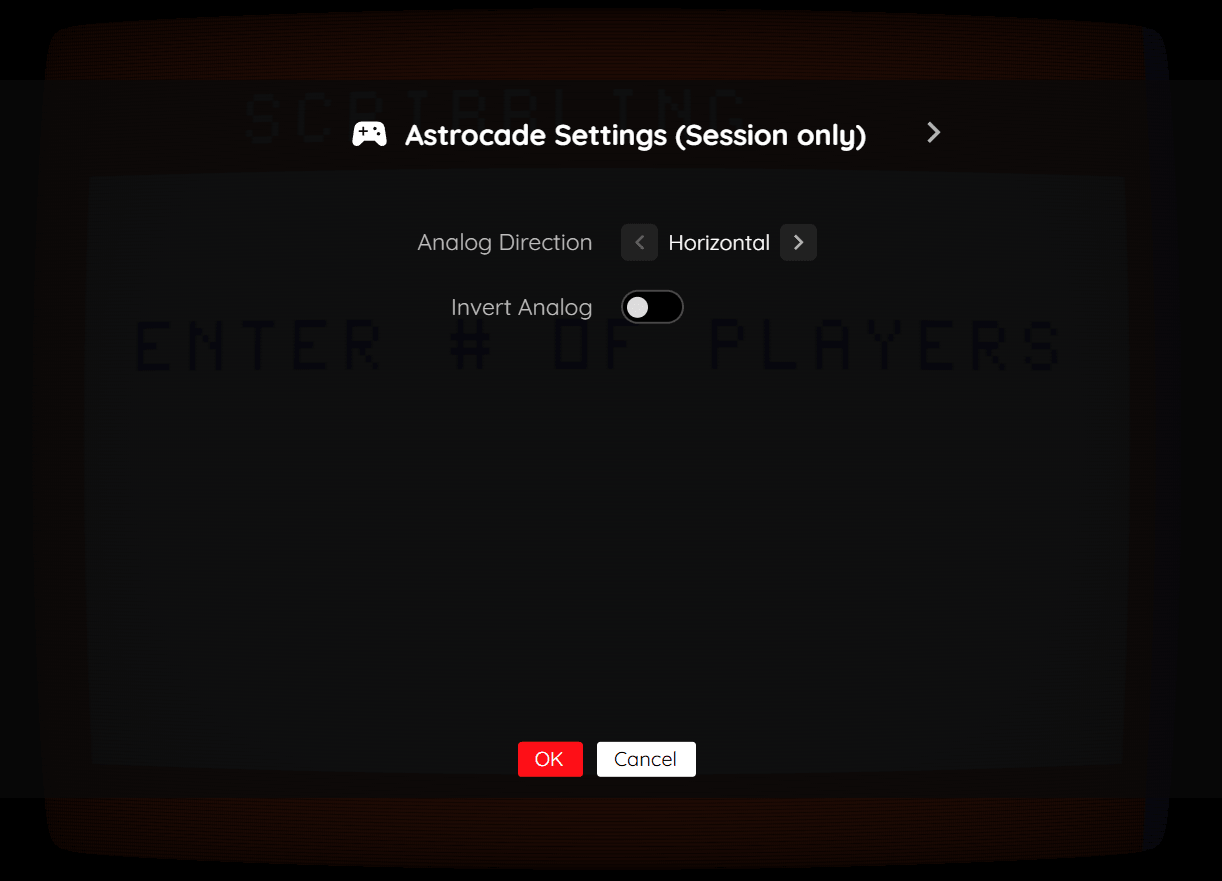
Astrocade Settings Tab (Session Only)
| Field | Description |
|---|---|
| Analog Direction | Whether the right analog stick maps to the paddle horizontally or vertically.
|
| Invert Analog | Inverts the paddle direction. |
Display Settings Tab
| Field | Description |
|---|---|
| Screen size | The screen size to use when playing a game. Options include:
|
| Bilinear filter | The type of bilinear filter to apply to the output display. Options include:
|
Feed
This section details how Bally Astrocade application instances can be added to feeds.
Type
The type name for the Bally Astrocade application is retro-mame-astrocade.
| Type | Cheats | Shaders | Retro Achievements |
Low CPU |
|---|---|---|---|---|
retro-mame-astrocade ⭐ |
x | ✅ | x | x |
Note
The alias astrocade also currently maps to this application. In the future, the astrocade alias may be mapped
to another Bally Astrocade application (different emulator implementation) if it is determined to be a
more appropriate default.
Feed Properties
The table below contains global Bally Astrocade feed properties. These properties must be specified in the props object of the feed's Feed Object.
| Property | Type | Required | Details |
|---|---|---|---|
| astrocade_bios | URL | Yes | URL to the Bally Astrocade BIOS file or a zip file containing it (see BIOS File). |
Item Properties
The table below contains the properties that are specific to the Bally Astrocade application. These properties are specified in the props object of a feed item.
| Property | Type | Required | Details |
|---|---|---|---|
| rom | URL | Yes | URL to a Bally Astrocade ROM file or a zip file containing one. |
| controlMode | Numeric | No | The control scheme to use. Defaults to 0 (Standard).
|
| analogDirection | Numeric | No | The axis used for the analog paddle. Defaults to 0 (Horizontal).
|
| analogInvert | Boolean | No | Whether to invert the analog paddle direction. Defaults to false. |
| mappings | Map of Strings (key-value pairs) | No | Game-specific mappings of Bally Astrocade actions and keypad keys to the gamepad. The simplest way to set these mappings is to use the Mappings tab in the Feed Editor for the item (game). The following is a simple example of a set of mappings. The
|
| descriptions | Map of Strings (key-value pairs) | No | Custom display names for Bally Astrocade keypad keys, shown in the on-screen keypad display and controls screen. The
|
| zoomLevel | Numeric | No | A numeric value indicating how much the display image should be zoomed in (0-40). |
Example
The following is an example of a complete feed that consists of a single Bally Astrocade application instance (type value of astrocade).
{
  "title": "Bally Astrocade",
  "props": {
    "astrocade_bios": "https://<host>/astro.bin"
  },
  "categories": [
    {
      "title": "Bally Astrocade Games",
      "items": [
        {
          "title": "Galaxian",
          "type": "astrocade",
          "props": {
            "rom": "https://<host>/galaxian.bin"
          }
        }
      ]
    }
  ]
}